
Michel Bardelmeijer is Tech Lead and Sales at redirect.pizza, where he helps DevOps and IT teams solve domain redirect challenges at scale. Michel has guided organizations like SD Worx, Zurich Airport and Harvard through complex redirect scenarios involving thousands of domains.
Have questions about bulk redirects, HTTPS migrations, or domain consolidations? Connect with Michel on LinkedIn or reach out to the redirect.pizza team.
Printed a QR code that points to the wrong URL? Or need to update the destination of a QR code that is already in circulation? You can fix this with a redirect. Instead of reprinting the QR code, you redirect the original URL to a new destination.
This guide explains how QR code redirects work, the difference between static and dynamic QR codes, and how to set up a redirect for your QR code using redirect.pizza.
Key Takeaways
- A QR code redirect changes the destination URL behind an existing QR code without reprinting it
- Static QR codes have a fixed URL baked in. The only way to change where they point is to redirect the original URL using a 301 redirect
- Dynamic QR codes let you edit the destination URL directly, but require a subscription to the QR code provider
- redirect.pizza lets you redirect any URL (including the one behind a QR code) with automatic HTTPS and built-in analytics to track scans
- You can create QR codes directly with our free QR code generator, or redirect an existing one by setting up a redirect for the source URL

What is a QR code redirect?
A QR code contains an encoded URL. When someone scans the code, their device opens that URL. A QR code redirect changes where that URL leads, without changing the QR code itself.
This is useful when the original destination no longer exists, when you want to run A/B tests with different landing pages, or when a marketing campaign needs to point to updated content. Instead of reprinting physical materials, you redirect the URL to a new destination.
Static vs. dynamic QR codes
The method you use to redirect a QR code depends on whether it is static or dynamic.
- Static QR codes have the destination URL encoded directly into the code pattern. Once generated, the URL cannot be changed inside the code itself. If you need to change where a static QR code points, your only option is to set up a 301 redirect on the original URL. This is where a redirect service becomes essential.
- Dynamic QR codes point to an intermediate URL controlled by the QR code provider (like a short link). The provider lets you change the destination through their dashboard. The downside: you depend on a third-party service and typically need a paid subscription.
If you own the domain in the QR code URL, you have full control regardless of which type of QR code you used. Set up a redirect on that domain, and the QR code points wherever you want.
When to redirect a QR code
There are a few common scenarios where redirecting the URL behind a QR code makes more sense than generating a new one:
- Broken links: The original URL has changed, moved, or no longer exists. Without a redirect, scanners land on a 404 error page. A redirect makes sure they reach a working page instead.
- Campaign updates: A seasonal promotion or event page needs to point to new content, but the printed materials (flyers, posters, packaging) are already distributed.
- A/B testing: You want to test which landing page converts better by changing the destination URL and comparing scan analytics.
- Domain changes: Your company rebranded or migrated to a new domain. All existing QR codes still reference the old domain.
- Bulk scenarios: You printed thousands of QR codes on product packaging. Reprinting is not an option. A redirect on the source URL lets you update every single code at once.
Choosing the right redirect type for QR codes
The redirect type matters. A 301 redirect is permanent: use it when the original URL is retired for good and you want search engines to index the new destination. A 302 redirect is temporary: use it when you plan to change the destination again later, like during A/B tests or rotating campaign pages.
For most QR code redirects, 301 is the right choice. If you are running a time-limited campaign and expect to reuse the original URL later, use a 302.
HTTPS and QR code redirects
If the URL encoded in your QR code uses HTTPS (which it should), the source URL needs a valid SSL certificate before the redirect works. Without it, scanners see a browser security warning instead of being redirected. Most redirect methods require you to provision this certificate yourself. redirect.pizza handles this automatically through Let's Encrypt SSL provisioning.
What happens when a QR code URL stops working
When the URL behind a QR code returns a 404 or times out, scanners see an error page. There is no fallback built into the QR code itself. The code simply encodes a URL. If that URL does not respond correctly, the experience is broken. A redirect prevents this by catching traffic to the original URL and forwarding it to a working destination.
People print thousands of QR codes on packaging and marketing materials, then realize the URL needs to change. Reprinting is expensive. A redirect solves this in seconds, and with analytics you can see exactly how many scans each code gets.
– Michel Bardelmeijer, Tech Lead at redirect.pizza
How to redirect a QR code with redirect.pizza
If you own the domain in the QR code URL, you can redirect it through redirect.pizza. The service works at the DNS level with automatic SSL provisioning, so the redirect works over HTTPS without manual certificate setup. You can track scans through built-in redirect analytics, including device type, location, and referrer data.
You can also use our free QR code generator to create new QR codes. If you register a free account, you can change the destination URL at any time.
Here is the setup process:
- 1
Step 1: Create a redirect.pizza account
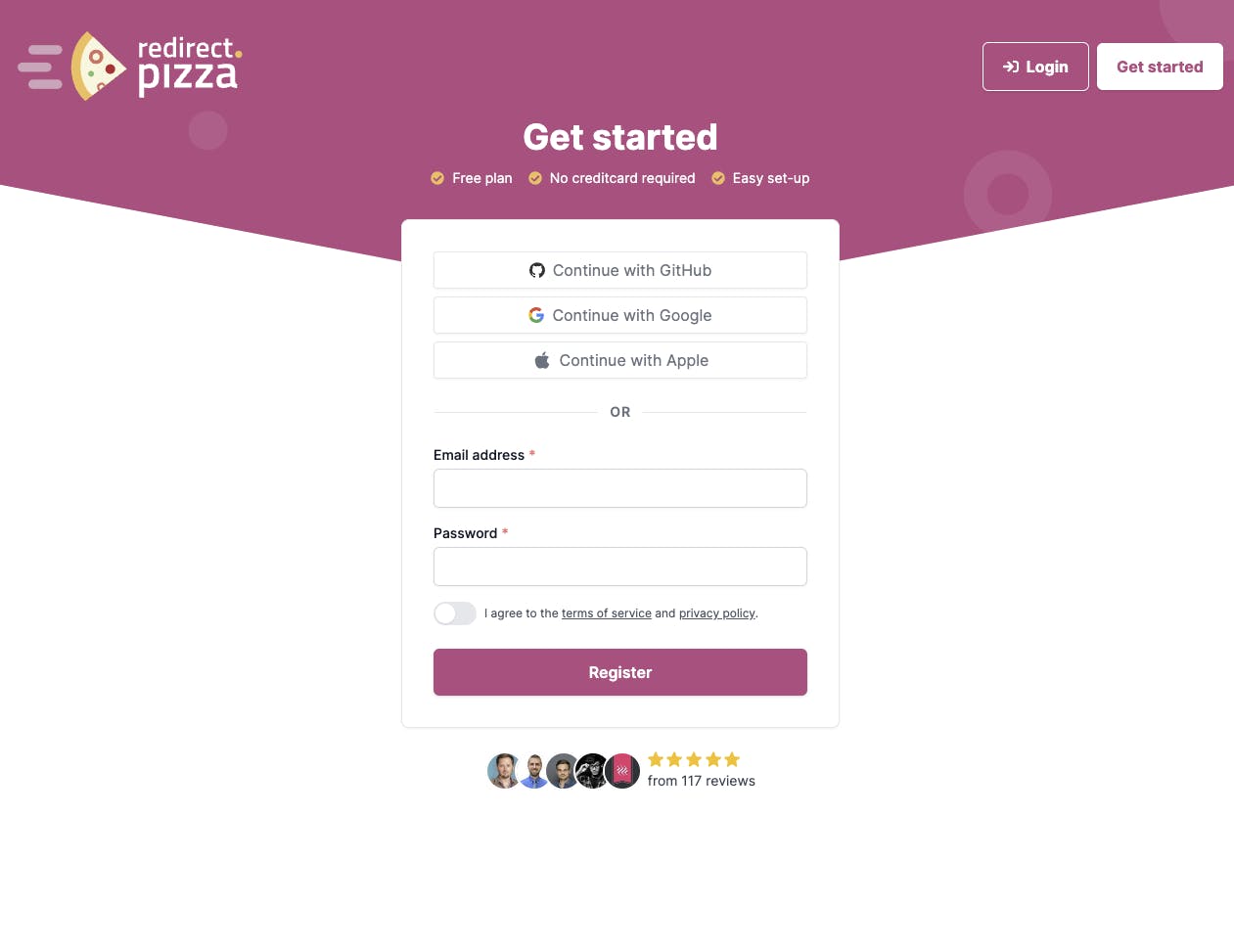
Create a redirect.pizza account. Once you've created the free account, you can access our redirect features.

- 2
Step 2: Create redirect
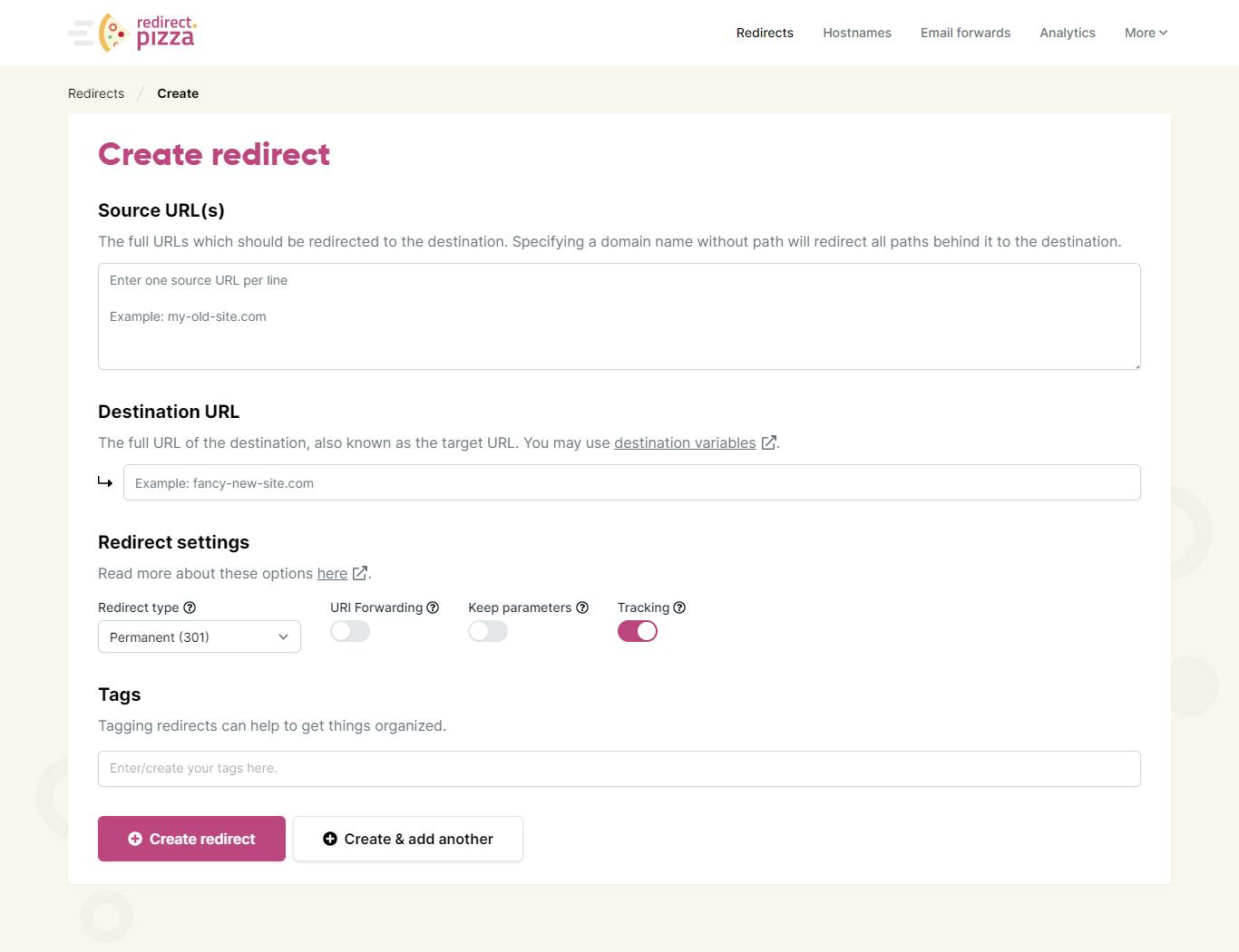
After signing up, click on "create a redirect" to get started. In the create a redirect window, enter the source URL (the original URL associated with the QR code) and the destination URL (the URL that you'd like to redirect to). Learn more in our getting started guide.

- 3
Step 3: Adjust DNS settings (if redirecting to a different domain)
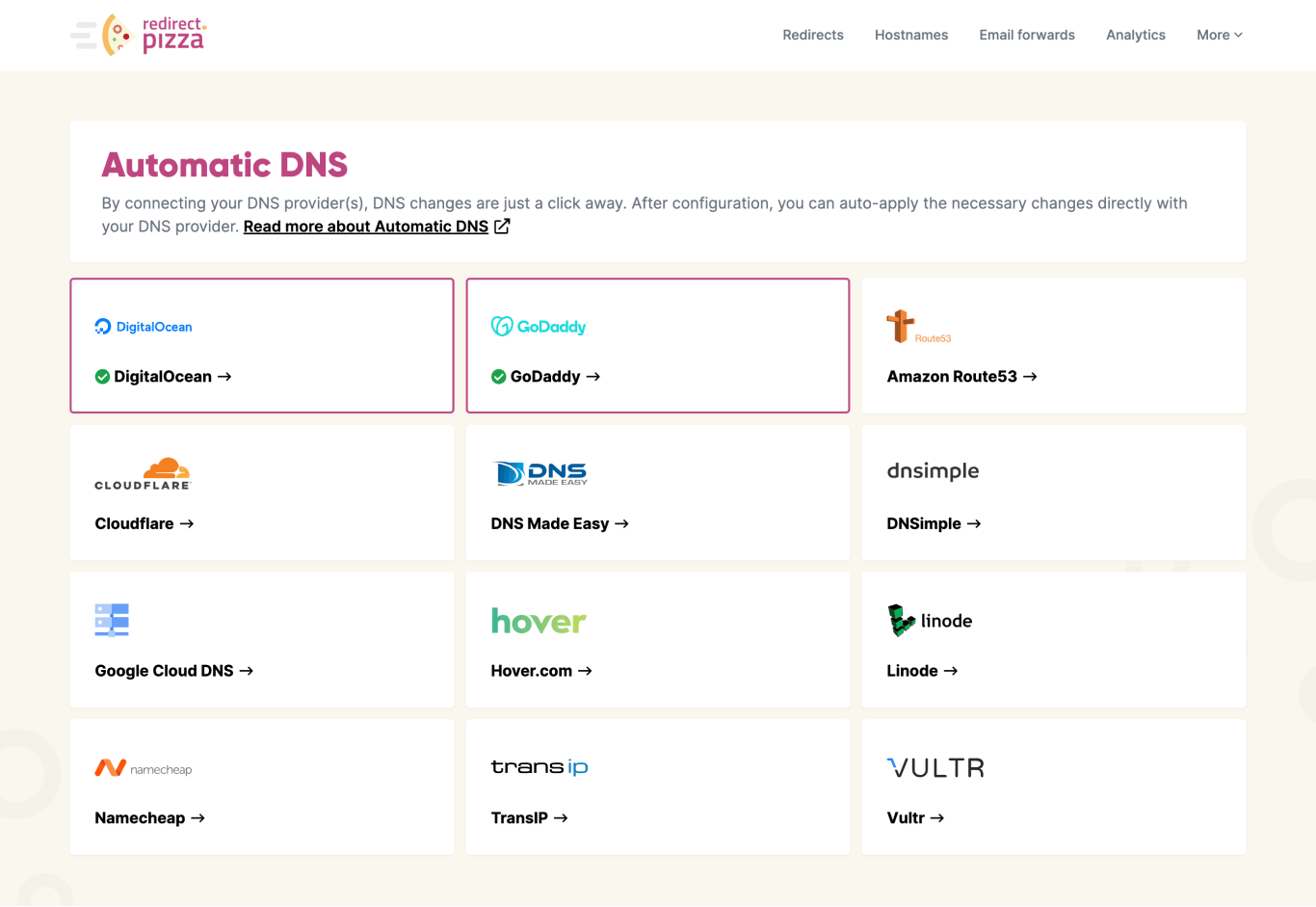
The required DNS change pops up. Go to your domain registrar to make this DNS change for the A record. Alternatively, you can use our Automatic DNS feature to make these changes. It may take up to 24 hours for the DNS changes to propagate.

- 4
Step 4: Test your redirect and keep track of your analytics
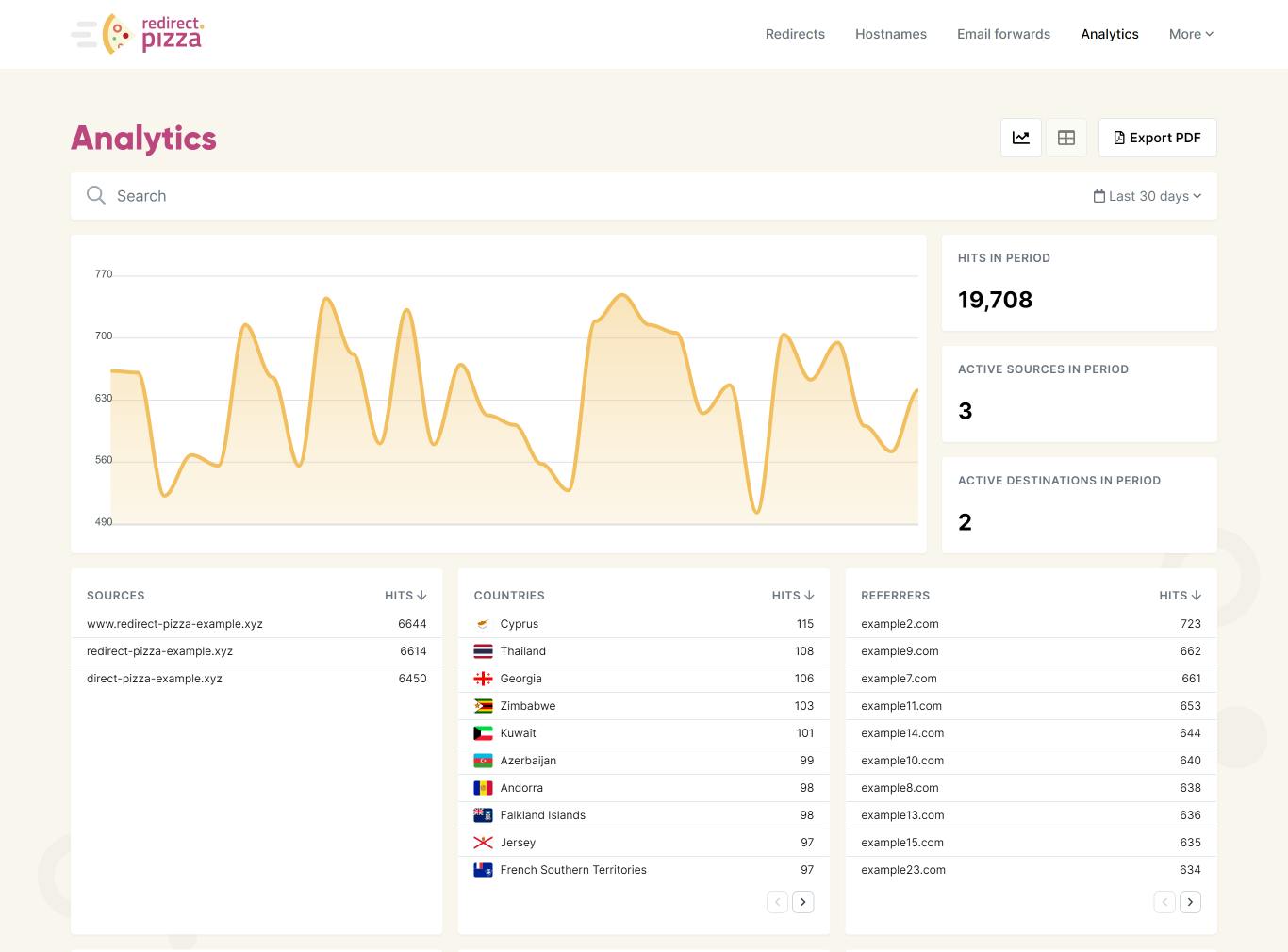
Type your (old) source URL in the address bar of your browser and click "enter". Are you redirected to the destination URL? Then the redirect is working! You can keep track of your redirect using the Redirect Analytics window. Are you experiencing issues? Check out our redirect troubleshooting guide.

Frequently Asked Questions
If you own the domain in the QR code URL, set up a redirect from the original URL to the new destination. Use a 301 redirect if the change is permanent, or a 302 if you plan to rotate destinations (for example during A/B tests). The QR code itself stays the same. redirect.pizza handles this at the DNS level with automatic HTTPS.
No. You can only redirect a URL if you control the domain it sits on. If your QR code points to a URL on a domain you do not own (like a third-party short link service), you need to contact that provider to change the destination. This is why it is better to use your own domain in QR codes from the start: you keep full control over where the code points, regardless of which service generated it.
Yes. A 301 redirect permanently forwards the original URL to a new destination. This works because the redirect happens at the URL level, not inside the QR code. Use a 301 when the old URL is retired for good. If you expect to change the destination again later, use a 302 (temporary) redirect instead. redirect.pizza supports both types.
No, as long as the original URL still resolves. A redirect catches traffic to the original URL and forwards it to the new destination. The QR code keeps encoding the same URL, so it works without reprinting. One requirement: the domain in the QR code URL must still have active DNS records pointing to a redirect service or server that handles the forwarding.


