
Michel Bardelmeijer is Tech Lead and Sales at redirect.pizza, where he helps DevOps and IT teams solve domain redirect challenges at scale. Michel has guided organizations like SD Worx, Zurich Airport and Harvard through complex redirect scenarios involving thousands of domains.
Have questions about bulk redirects, HTTPS migrations, or domain consolidations? Connect with Michel on LinkedIn or reach out to the redirect.pizza team.
Redirecting non-www to www (or the reverse) prevents duplicate content and consolidates your domain's SEO value into one version.
Your domain works with and without "www" in front of it, but browsers and search engines treat example.com and www.example.com as two separate sites. Without a redirect, your ranking signals, backlinks, and crawl budget get split between both versions. A 301 redirect from the non-www version (also called the "apex" or "naked" domain) to the www version consolidates everything under a single canonical URL.
This guide covers why you should pick one version, the different methods to set up the redirect, and the DNS and HTTPS complications most guides skip. For a broader overview of how redirects work, see our Complete Guide to URL Redirects.
Key Takeaways
- Non-www (apex) and www are treated as separate domains by browsers and search engines, splitting SEO signals if both resolve
- A 301 redirect consolidates link equity, crawl budget, and analytics under your preferred version
- The www subdomain has a technical advantage: it allows cookie scoping, keeping cookies off static asset subdomains
- HTTPS complicates apex redirects because the source domain needs a valid SSL certificate before any redirect can execute
- DNS-based redirect services handle certificate provisioning automatically, avoiding .htaccess access or server configuration

What Does the www Subdomain Do?
The "www" in a URL is technically a subdomain of your root domain. In www.example.com, "www" is a subdomain of example.com (the apex domain). The "www" prefix originated as a convention to distinguish web servers from other services like FTP or mail, but it stuck around because it offers real technical advantages.
The most significant one is cookie scoping. Cookies set on example.com are sent to every subdomain (cdn.example.com, api.example.com, blog.example.com). Cookies set on www.example.com stay on that subdomain, keeping your static asset and API subdomains clean. For sites that serve assets from subdomains, this reduces unnecessary request overhead.
From an SEO perspective, search engines treat the www and non-www versions as separate sites unless you tell them otherwise. Running both versions without a redirect creates duplicate content and splits your ranking signals. The fix is simple: pick one version and redirect the other with a 301.
Why Redirect Non-www to www?
Redirecting to a single URL version has four practical benefits:
- Consolidated SEO signals: all backlinks, domain authority, and crawl budget flow to one version instead of being split across two.
- Consistent user experience: visitors always arrive at the same URL regardless of which version they type, bookmark, or click from a search result.
- Clean analytics: traffic data for each page lives under one URL. Without a redirect, the same page accumulates data under both example.com/page and www.example.com/page, fragmenting your reporting.
- No duplicate content risk: search engines do not have to guess which version is canonical. You tell them explicitly with a permanent redirect.
Ways to Redirect Non-www to www
The standard approach is a 301 redirect from the apex domain to the www version. A 301 tells search engines this is a permanent move, transferring your ranking signals to the destination URL.
There is one complication most guides skip: HTTPS. If anyone visits https://example.com (the non-www version), the server needs a valid SSL certificate for that exact domain before the redirect can execute. Without it, browsers show a security warning and the redirect never runs. This is the single most common reason apex-to-www redirects fail silently. For the technical explanation, see why HTTPS redirects break.
Option 1: Manually via .htaccess
If you have access to an Apache server, you can add the following to your .htaccess file:
RewriteEngine On
RewriteCond %{HTTP_HOST} ^example.com [NC]
RewriteRule (.*) https://www.example.com/$1 [R=301,L]
Replace "example.com" with your domain. Note that this redirects to https://, not http://. In 2026, there is no reason to redirect to an insecure URL.
The risk: .htaccess controls your server configuration, and a syntax error can take your site offline. You also need a valid SSL certificate on the non-www domain for HTTPS visitors. If your hosting provider does not issue certificates for the apex domain, this method silently fails for HTTPS traffic.
Option 2: Via your DNS provider
Some DNS providers offer built-in redirect features. There is an important DNS limitation to understand first: you cannot place a CNAME record on an apex domain. This is an RFC restriction, not a provider limitation. Apex domains require A records (pointing to an IP address) or provider-specific workarounds like ALIAS or ANAME records.
Namecheap allows URL Redirect Records in the Advanced DNS tab. You can forward the apex domain to the www version directly. Learn more at Namecheap.
AWS Route 53 requires creating an S3 bucket configured for website hosting with a redirect rule, then pointing an A record (alias) to that bucket. It works but involves multiple AWS services. See AWS documentation.
Cloudflare offers Redirect Rules (previously Page Rules) that can handle apex-to-www redirects. Cloudflare also supports CNAME flattening, which works around the apex CNAME restriction. If you already use Cloudflare for DNS, this is a viable option.
GoDaddy provides domain forwarding through its DNS management interface. See GoDaddy's forwarding guide. Note that GoDaddy's forwarding does not always handle HTTPS on the source domain.
Option 3: Via your CMS
WordPress offers redirection plugins that can handle non-www to www redirects. WordPress also allows you to set your preferred URL version in Settings > General. Learn more about WordPress subdomain configuration.
Webflow handles non-www to www redirects in project settings. See Webflow's guide.
Wix provides a URL Redirect Manager in the site dashboard under SEO Tools. Learn more about Wix subdomain configuration.
Option 4: Via a DNS-based redirect service
Dedicated redirect services handle the two problems that make the other options difficult: SSL certificate provisioning and DNS configuration. You point your apex domain's A record to the service, it provisions a certificate automatically via Let's Encrypt, and the 301 redirect works for both HTTP and HTTPS traffic from day one.
This approach requires no server access, no .htaccess editing, no CMS plugins, and no manual certificate management. For a step-by-step walkthrough, see our domain redirect setup guide.
Benefits of Using redirect.pizza for Your Non-www Redirects
Each method above has trade-offs: .htaccess requires server access and manual SSL handling, DNS providers vary in redirect support, and CMS plugins only work within their platform. A dedicated redirect service handles the hard parts in one place.
redirect.pizza offers advanced redirect options, with a high level of control. You can use any type of redirect you like. And make use of complex redirect rules and path forwarding. redirect.pizza also supports a broad range of destination variables.
redirect.pizza also comes with a feature for broken destination monitoring. Broken destination monitoring ensures the destination is reachable.
redirect.pizza comes with automatic HTTPS, meaning automatic renewal of SSL certificates, keeping your security up to date at all times.
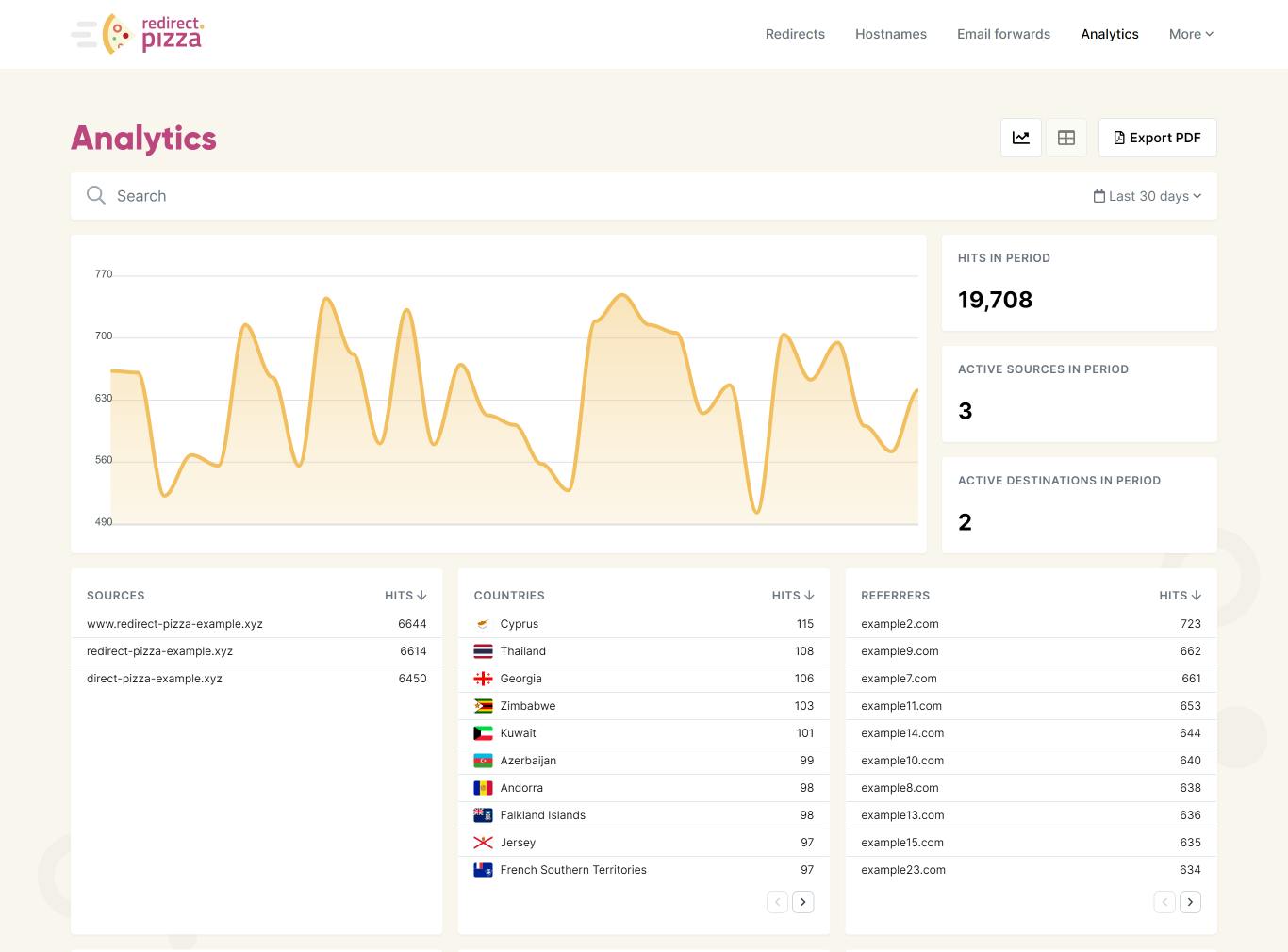
The service of redirect.pizza comes with an easy-to-use interface. On top of that, the extensive analytic tool keeps track of all kinds of data, such as location, device, referrer, and requested pages of your visitors.
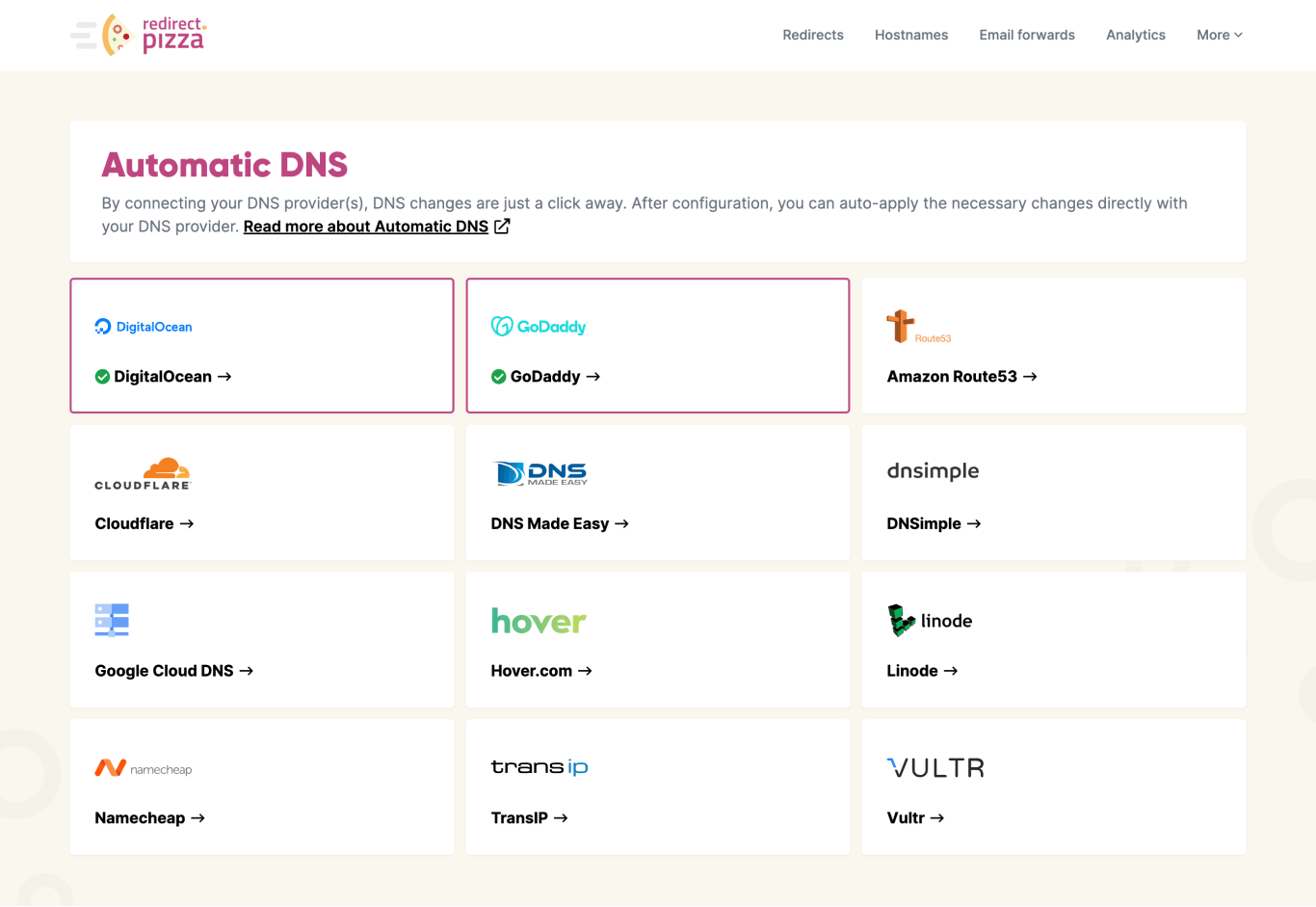
redirect.pizza offers automatic DNS, the easiest way to manage your redirecting needs from a single platform. And with our bulk function, you can easily apply automatic DNS on multiple hosts or domains in one go.
redirect.pizza provides the fastest redirects possible, with guaranteed responsiveness. This is done through our high-performance edge network, minimizing latency, and enhancing the overall user experience.
How to Set Up the Redirect with redirect.pizza
- 1
Step 1: Create a redirect.pizza account
Create a redirect.pizza account. Once you've created the free account, you can access our redirect features.

- 2
Step 2: Create redirect
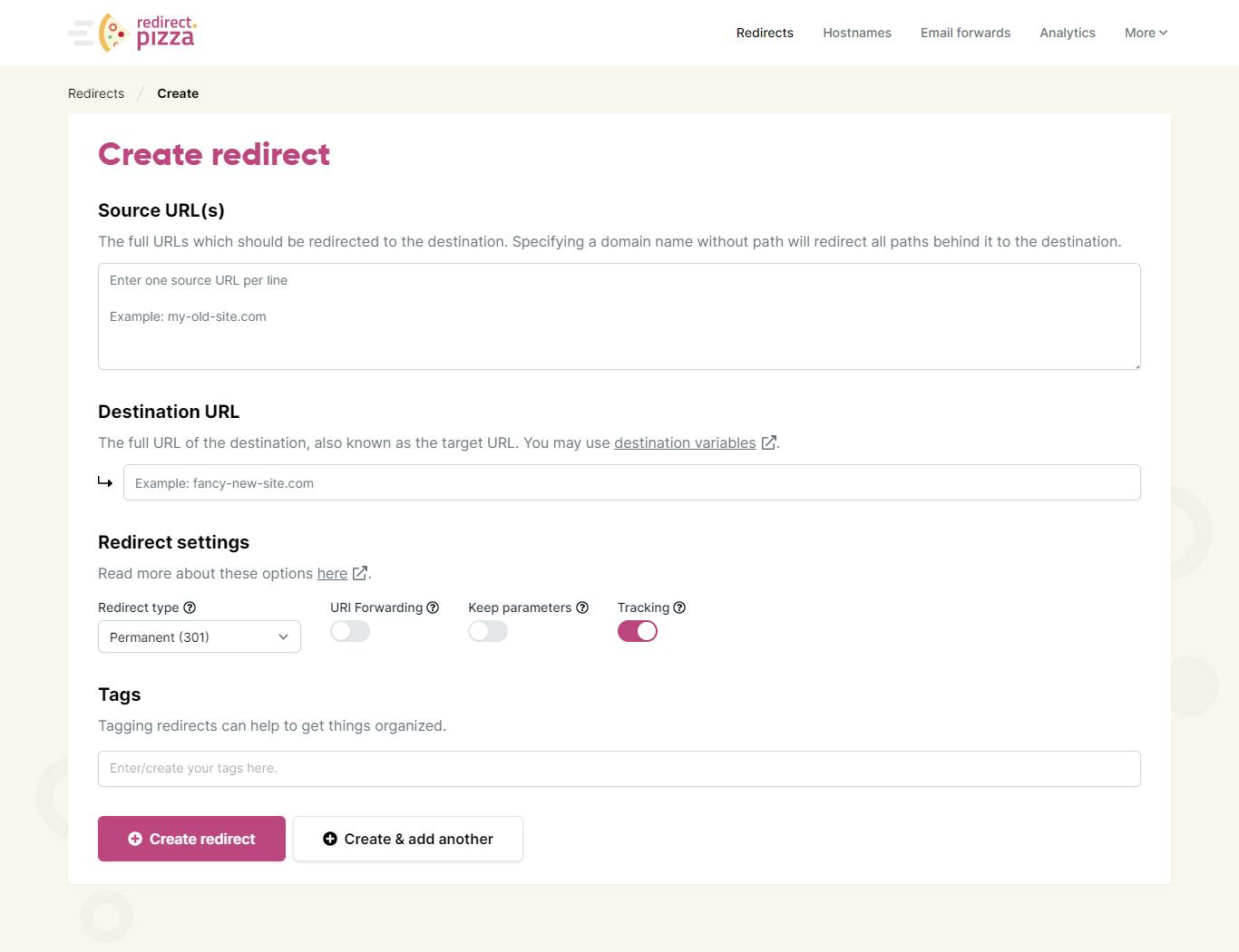
After signing up, click on "create a redirect" to get started. In the create a redirect window, enter the source URL (such as the non-www URL) and the destination URL (the URL including "www."). Learn more in our getting started guide.

- 3
Step 3: Adjust DNS settings
The required DNS change pops up. Go to your domain registrar to make this DNS change for the A record. Alternatively, you can use our Automatic DNS feature to make these changes. It may take up to 24 hours for the DNS changes to propagate.

- 4
Step 4: Test your redirect and keep track of your analytics
Type your (old) source URL in the address bar of your browser and click "enter". Are you redirected to the destination URL? Then the redirect is working! You can keep track of your redirect using the Redirect Analytics window. Are you experiencing issues? Check out our redirect troubleshooting guide.


Redirecting www to Non-www (The Reverse Direction)
Not every organization prefers the www version. Some choose the cleaner apex URL (example.com) as their canonical domain and redirect www.example.com to it. The mechanism is identical: a 301 redirect, just in the opposite direction.
The same rules apply. You need a valid SSL certificate on the www subdomain (the source) for HTTPS visitors. You need to update your canonical tags, sitemaps, and internal links to reflect the non-www version. And you need to be consistent: pick one and redirect the other.
The technical difference is that redirecting FROM the www subdomain is often simpler than redirecting from the apex domain. A CNAME record on www.example.com works without any RFC restrictions, and most DNS providers support it natively. The apex-to-www direction is where DNS limitations create complications.
Frequently Asked Questions
Either direction works. The important thing is to pick one version and redirect the other with a permanent 301 redirect. The www version has a technical advantage: cookies set on www.example.com stay on that subdomain, keeping static asset and API subdomains clean. The non-www (apex) version gives a shorter, cleaner URL. Most large organizations use www. Whichever you choose, update your canonical tags, sitemaps, and internal links to match.
Yes, positively. Without a redirect, search engines treat example.com and www.example.com as two separate sites, splitting your ranking signals and creating duplicate content. A 301 redirect consolidates all link equity, crawl budget, and ranking signals to your preferred version. The redirect itself does not cause ranking loss when implemented correctly as a permanent 301.
Point your apex domain's A record to your redirect service's IP address. The service handles the 301 redirect and provisions an SSL certificate for the apex domain automatically. No .htaccess access or server configuration required. You cannot use a CNAME record on an apex domain (this is an RFC restriction), which is why an A record is necessary. DNS propagation typically takes a few minutes to 24 hours.


