Still receiving email on a domain you've moved away from? Email forwarding delivers messages sent to addresses on that domain to a mailbox of your choice, so nothing bounces and your contacts don't notice the move. Available from the Pro plan and up.
Setting up an email forward
Step 1: Enter the address to forward
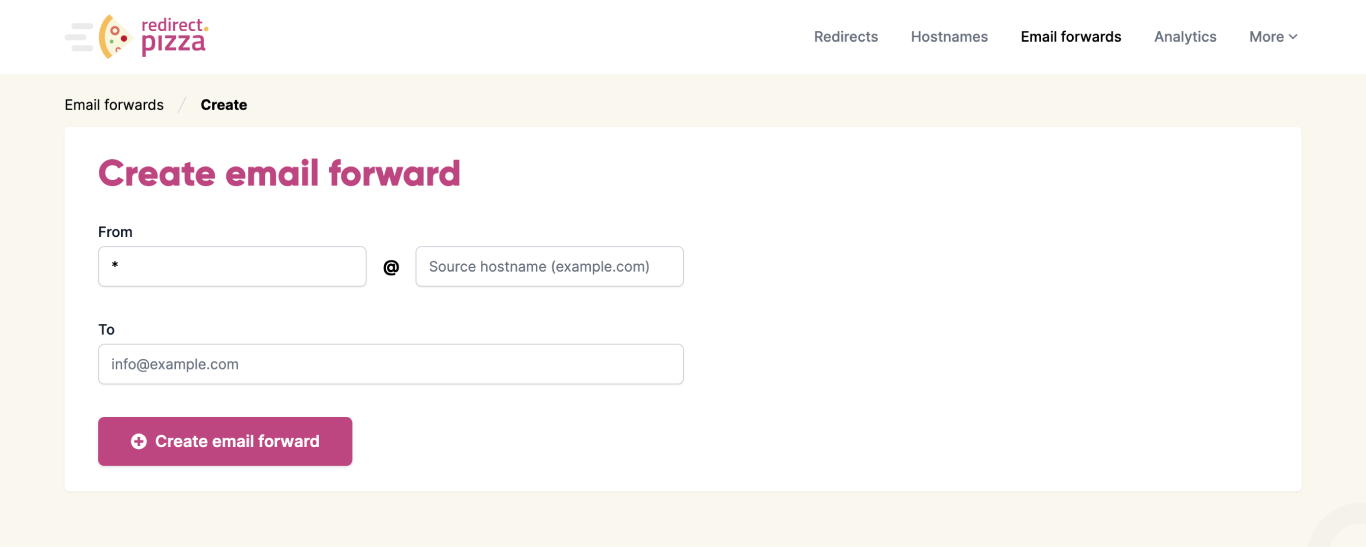
Open Email forwards and enter the address that receives mail on the old domain in the From field, for example info@company.co.uk.
Step 2: Enter the destination
Enter the mailbox that should receive the mail in the To field, for example info@company.com. From now on, every message sent to the .co.uk address is delivered to the .com mailbox.
Step 3: Update your DNS
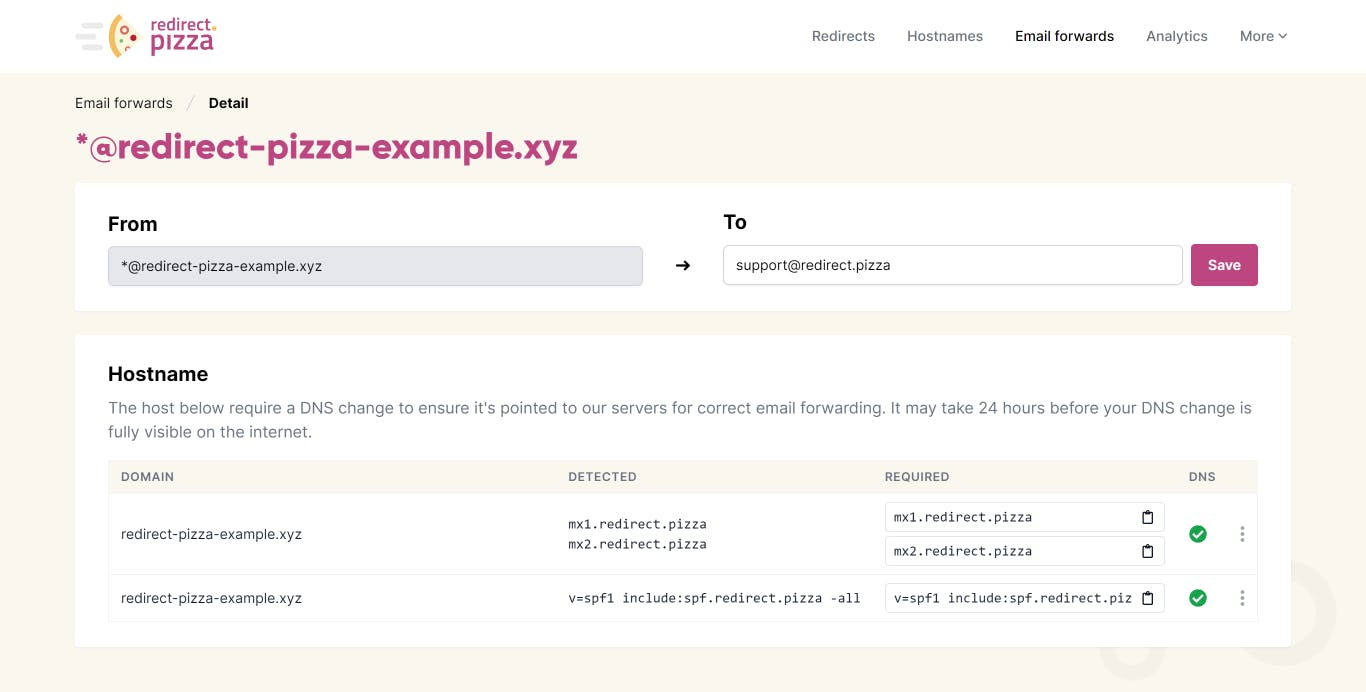
For mail to reach us, the MX and SPF (Sender Policy Framework) records of the domain must point at redirect.pizza. The exact records are shown on the page of the email forward and in What DNS types can I use?. Add them at your DNS provider, usually your domain registrar. We check the records automatically. Propagation typically takes around 30 minutes, but can take up to 24 hours.
A domain can have only one SPF record. If you already have one, add include:spf.redirect.pizza to it instead of creating a second TXT record.
Step 4: Test it
Green checkmarks mean the DNS is verified and the forward is active. Send a test message to the forwarded address. It should arrive in the destination mailbox, and it appears under Logs on the page of the email forward.
Why SPF is needed
SPF specifies which mail servers are authorized to send email for your domain. Adding include:spf.redirect.pizza allows our mail servers to forward messages on behalf of the domain you're forwarding from.
Email forwarding works a little differently from sending a new message. We receive messages addressed to your domain and relay them to the destination address. Since the original sender's SPF configuration is outside both your and our control, authorizing redirect.pizza through your domain's SPF record helps ensure forwarded messages are delivered reliably.
Bounces and the return path
When we forward a message, we also need a reliable way to detect delivery failures. Receiving mail servers report those failures by sending a bounce to the return path, which is the address used in the SMTP MAIL FROM command.
For forwarded mail, using the original sender's address as the return path can cause SPF checks to fail because the message is now being delivered by redirect.pizza rather than by the original sender's mail server.
To avoid that, we use an address on your domain as the return path. Since redirect.pizza is authorized through your SPF record, the forwarded message can pass SPF validation. Any bounce messages are then routed back through your domain, allowing us to capture the failure and show it in your logs.
Forwarding a whole domain with regex
Forwarding bob@example.com to bob@new-domain.com takes a single forward. For a large team, one forward per person adds up. Use a regex forward instead to keep the alias and change only the domain:
From:  ([a-z.-]+)@example.com
To:    $1@new-domain.com
The part before the @ is captured and reused in the destination, so bob@example.com goes to bob@new-domain.com and jenny@example.com to jenny@new-domain.com.
Catch-all and overlapping forwards
A forward with * as the alias catches every address on the domain. When a message matches more than one forward, it's delivered to each of them. For example:
support@example.com  to  help@new-domain.com
*@example.com        to  info@new-domain.com
A message to support@example.com matches both forwards and is delivered to both help@ and info@.