A robots.txt file tells crawlers what they're allowed to do on a hostname. On redirect.pizza you choose which robots.txt is served for your redirected hostnames, at team level or per hostname. A setting on team level is inherited by every hostname unless you override it. Available from the Basic plan and up.
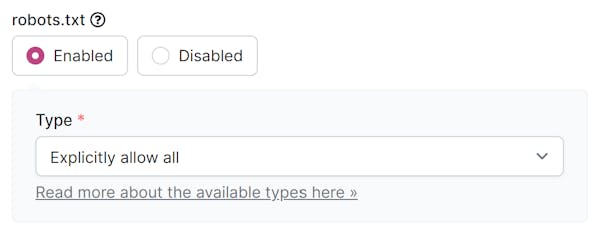
Options
No robots.txt (default)
We don't serve a robots.txt. A request for /robots.txt is not a special case: it's matched and redirected like any other path on your hostname. With path forwarding enabled, a crawler ends up at the destination's robots.txt. Crawlers treat a missing robots.txt as "everything is allowed".
Explicitly allow all
We serve a robots.txt that allows all crawling. The effect is the same as the default, but explicit:
User-agent: *
Disallow:
Disallow bad bots
We serve a robots.txt that disallows a long list of known bad bots: crawlers that generate traffic and clutter your analytics without any benefit to you. Good bots such as Googlebot and Bingbot are unaffected. This option can reduce the number of hits on your account.
The list is based on the Apache ultimate bad bot blocker. You can see the resulting file at redirect.pizza/robots.txt.
Disallow all
We serve a robots.txt that tells crawlers not to crawl the hostname at all:
User-agent: *
Disallow: /
Custom
Need your own robots.txt? That's possible with a dedicated IP, because the custom file is served from your own IP address on our edge network. Contact sales for more information.
Good to know
robots.txt is a request, not an enforcement. Well-behaved crawlers honor it; some bad bots ignore it. For traffic you actively want to block, see the Web Application Firewall.
Which option is right for you depends on your SEO strategy. When in doubt, ask your SEO specialist.